
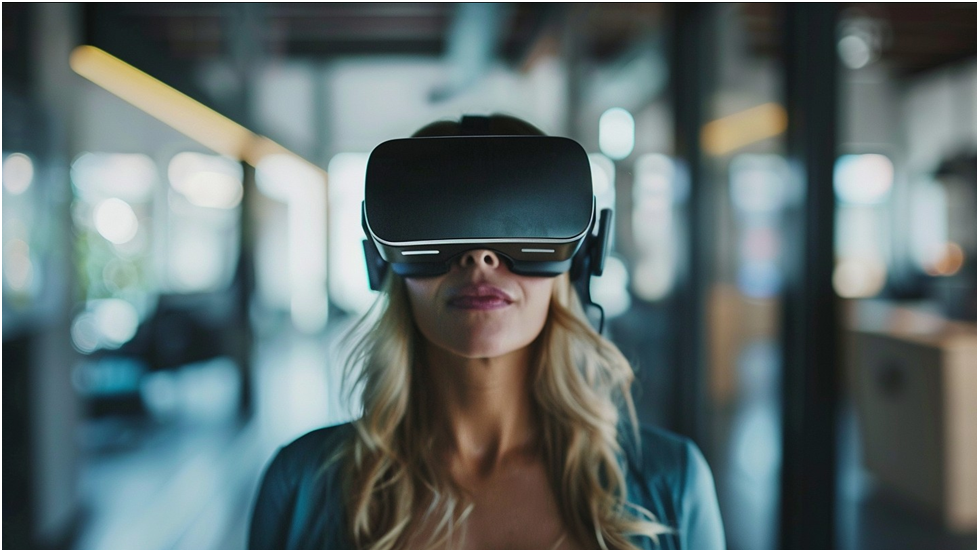
Extended reality is changing the way people watch and interact with digital entertainment. Instead of viewing a video through a small rectangular screen, users can experience virtual scenes around them or see digital content blended with their physical surroundings. For people exploring new formats, VRSpy offers an example of how immersive video categories can introduce viewers to augmented-reality passthrough experiences. Understanding the technology behind these experiences can help users choose suitable headsets, content, and privacy settings.
What Is AR Passthrough?
AR passthrough is a feature that allows a headset to display a live view of the physical world through cameras mounted on the device. The headset captures the room and shows that view on its internal screens. Digital objects, images, videos, or interface elements can then be placed over the real environment.
The result is different from traditional virtual reality. A fully virtual experience replaces the physical surroundings with a computer-generated environment. Passthrough keeps the real world visible and adds digital layers to it. The user might see a virtual screen floating above a table, a digital character standing in the room, or a video positioned within the surrounding space.
The quality of passthrough depends on the headset’s cameras, processors, display, tracking system, and software. Newer devices can produce a clearer and more responsive view, while older systems may show lower resolution, color distortion, motion blur, or noticeable delay. When the system responds quickly and accurately, the digital content feels more naturally connected to the room.
How Passthrough Differs From Virtual Reality
Virtual reality is designed to create a simulated environment. It can transport the user to a game world, a concert venue, a travel destination, or an entirely fictional setting. The physical room is usually hidden from view, except when the user activates a safety boundary or camera view.
Passthrough uses the physical environment as part of the experience. This makes it especially useful for mixed-reality applications, because users can interact with digital content without completely losing awareness of their surroundings. A person might watch a virtual video while still seeing a chair, desk, or wall nearby.
The two modes can also work together. A user may begin with a passthrough menu, select a video, and then enter a fully virtual theater. Alternatively, an application may keep the video in the real room while adding virtual lighting, scenery, or interactive elements. This flexibility gives creators more ways to control the viewer’s sense of space.
Why AR Passthrough Makes Video More Immersive
A conventional video has a fixed relationship with the viewer. The screen remains in one place, and the viewer usually changes the viewing angle only by moving the screen or camera. In a headset, the video can appear as though it occupies a specific location in the room.
Spatial placement creates a stronger sense of presence. A virtual display may appear several feet away, while a 180-degree scene can surround the viewer’s field of vision. The user can look around, adjust the viewing angle, and sometimes change the size or position of the content.
This approach is useful for more than entertainment. Educational demonstrations can place a model in front of the learner. Fitness applications can display instructions in a visible location. Travel experiences can combine recorded footage with interactive maps. Live events can use virtual screens and spatial effects to create the feeling of being in a larger venue.
Mature entertainment can also use immersive presentation techniques, but viewers should consider privacy, consent, age restrictions, and the reputation of the platform. The technology does not remove the need for responsible content standards. Users should select legitimate services and avoid sharing private recordings or personal account information.
Choosing a Headset for Passthrough Content
Not every VR headset offers the same passthrough experience. Buyers should compare several practical features before making a decision.
Camera quality affects how clearly the physical environment appears. A higher-quality camera system can make it easier to read a phone, locate a controller, or recognize furniture while wearing the headset. However, camera resolution is only one factor. The software must process the image quickly and display it with minimal distortion.
Tracking is also important. Inside-out tracking uses cameras and sensors on the headset to understand the user’s position and the shape of the surrounding space. Reliable tracking helps virtual objects remain stable when the user moves. Poor tracking can cause digital elements to drift, jump, or disappear.
The display and lenses influence how comfortable the experience feels. A wide field of view can make virtual content appear more natural, while sharp lenses improve text and visual detail. Adjustable lens spacing, suitable facial padding, and a balanced head strap can reduce discomfort during longer sessions.
Users should also check battery life, storage, application support, controller options, and whether the headset works independently or requires a computer. A standalone device is convenient, while a computer-connected system may offer more processing power for complex applications.
Preparing a Safe Play Area
Passthrough can make a room easier to see, but users should not assume that the camera view is perfect. A headset may fail to detect small objects, glass surfaces, pets, cables, or changes in lighting. Before starting a session, clear the floor and move fragile items away from the play area.
Keep drinks, sharp objects, and hot appliances outside the immediate space. If the user needs to walk while wearing the headset, use a boundary system and move slowly. A virtual outline can help identify the edge of a safe zone, but it should supplement rather than replace ordinary caution.
Lighting can affect the camera view and tracking. Extremely dark rooms may make it difficult for the headset to understand the environment. Strong sunlight, reflective surfaces, and bright windows can also interfere with sensors. A room with even, moderate lighting is usually easier for the device to interpret.
Users should take regular breaks. Eye strain, headaches, dizziness, or nausea may indicate that the session should end. New users can begin with short periods and choose stationary content before trying experiences that involve rapid movement or changing viewpoints.
Improving Video Quality
High-quality immersive video requires suitable hardware, software, and network performance. A headset may support a high resolution, but the final image depends on the source file, streaming platform, compression, and connection speed.
A strong wireless network can reduce buffering and interruptions. Place the router in a central location or use a wired connection for a computer or streaming device when possible. Other household activity, such as large downloads or multiple high-definition streams, may affect performance.
Users should check whether the video is designed for 180-degree, 360-degree, or standard playback. A file intended for one format may look distorted in another player. The platform should explain the required headset, viewing mode, resolution, and audio setup.
Cleaning the lenses with an appropriate microfiber cloth can improve clarity. Avoid household glass cleaners because they may damage lens coatings. Keep the headset firmware and applications updated, since updates can improve tracking, compatibility, and security.
The Role of Spatial Audio
Visual immersion is only part of the experience. Spatial audio can make sound appear to come from a particular direction or distance. If a voice seems to originate from the left side of a virtual room, the brain receives another signal that the environment has depth.
Good spatial audio can improve concerts, games, guided experiences, films, and interactive videos. Headphone fit and software support both matter. Some headsets provide built-in speakers, while others work better with separate headphones.
Audio privacy should also be considered. Built-in speakers may allow people nearby to hear part of the content. Headphones can provide greater privacy, but users should remain aware of the surrounding environment when using them. This is especially important if the user is moving or sharing a room with other people.
Privacy Considerations in Mixed Reality
Passthrough systems use cameras to analyze the physical environment. Depending on the device and application, the system may create spatial maps, identify room surfaces, track hand movements, process voice commands, or collect eye and body movement data.
Review application permissions before granting access. An application may need camera access to place content in the room, but users should understand whether images or spatial information are stored, transmitted, or shared. Privacy policies can explain data practices, although they may be difficult to read. Look for information about collection, retention, third-party sharing, deletion, and account controls.
Use strong account credentials and enable multi-factor authentication where available. Do not install software from suspicious sources or enter payment details into an unfamiliar application. Keep the headset updated and remove applications that are no longer needed.
Shared devices require extra care. Sign out of personal accounts, avoid storing payment information when other people use the headset, and review browsing or viewing history. Parents and guardians should check age ratings, social features, chat settings, and purchase controls before allowing children to use mixed-reality applications.
Responsible Use of Immersive Content
Immersive technology can make entertainment feel personal, but users should apply the same standards of consent and respect that apply outside VR. Do not record another person without permission. Do not share private content, account details, or screenshots that identify someone without consent.
When viewing mature entertainment, use age-appropriate services with clear content descriptions and reasonable privacy practices. Avoid suspicious downloads, unofficial copies, and websites that request unnecessary personal information. A legitimate platform should make its categories and access requirements understandable.
Creators also have responsibilities. Content should include accurate labels, suitable safety notices, and controls that reduce unwanted interactions. Platforms can improve trust by explaining how performers, users, and personal data are protected.
The Future of AR Video
Passthrough technology is likely to become more natural as cameras, processors, displays, and software improve. Better depth sensing may help digital objects remain anchored to floors, walls, and furniture. Improved color reproduction can make the camera view resemble ordinary sight more closely.
Eye tracking and hand tracking may also change how viewers control content. Instead of reaching for a controller, a user might look at a video and make a simple gesture to resize, pause, or move it. Voice controls could make navigation easier, although they raise additional privacy questions.
Content creators may combine live video, virtual environments, and interactive objects in a single experience. A viewer could watch a performance from different locations, explore a virtual set, or move between real and simulated spaces. These developments may blur the line between watching and participating.
The most useful systems will balance immersion with comfort and control. Users should be able to adjust the size, brightness, position, and privacy of virtual content. They should also have clear ways to exit an experience and return to a normal view.
Final Thoughts
AR passthrough gives VR video a closer relationship with the physical world. It can make digital screens feel present in a room, support mixed-reality applications, and create more flexible ways to watch immersive entertainment. A satisfying experience depends on choosing compatible equipment, preparing a safe space, maintaining a reliable connection, and reviewing privacy controls. Viewers who want to explore vrspy.com and similar immersive video formats should also consider content labels, consent, age restrictions, and responsible digital habits before beginning a session.
This article is for general informational purposes. Technology features, platform policies, age requirements, and privacy practices can change. Review the terms and settings of the specific headset and service before use.